
How to Build an Architecture Portfolio Website with WordPress (Step by Step)
A step-by-step guide to building an architecture portfolio website with WordPress and Elementor: pages to plan, project case studies, images, SEO and launch.


An architecture portfolio website is the one place where your best work, your process and your contact details live together. Social media is great for reach, but clients who are ready to hire you will look for a proper website. This step-by-step guide shows how to build one with WordPress and Elementor, using the GoArch theme as the example.
Step 1: Plan the pages before you design anything
Most architecture portfolios need only six pages. Fewer pages means a clearer path for visitors.
- Home: a strong hero image, a short statement about your practice and three to six featured projects.
- Projects: every project, filterable by type such as residential, commercial or interiors.
- Single project: the full case study for each project.
- Services: what you offer, one block per service.
- Team or About: the people behind the work.
- Contact: a form, phone number, address and map.
Step 2: Choose a theme that already has these pages
Building every page from scratch takes weeks. A theme made for architects gives you these layouts on day one. GoArch registers Projects, Team and Services as their own content types, with 12 archive layouts and 12 single layouts to choose from. If you are still comparing options, read our guide to the best WordPress theme for architects.
Step 3: Install the theme and import a demo
With GoArch, setup takes four steps:
- Upload
goarch.zipin Appearance → Themes and activate it. - Install the required plugins from the prompt: GoArch Core, Elementor, Redux Framework and One Click Demo Import.
- Import one of the three demos. Pages, projects, team members, menus, widgets and theme settings all come in together.
- Open Theme Options to set your logo, colors and fonts.
Full instructions with screenshots are in the GoArch documentation.

Step 4: Write project case studies, not captions
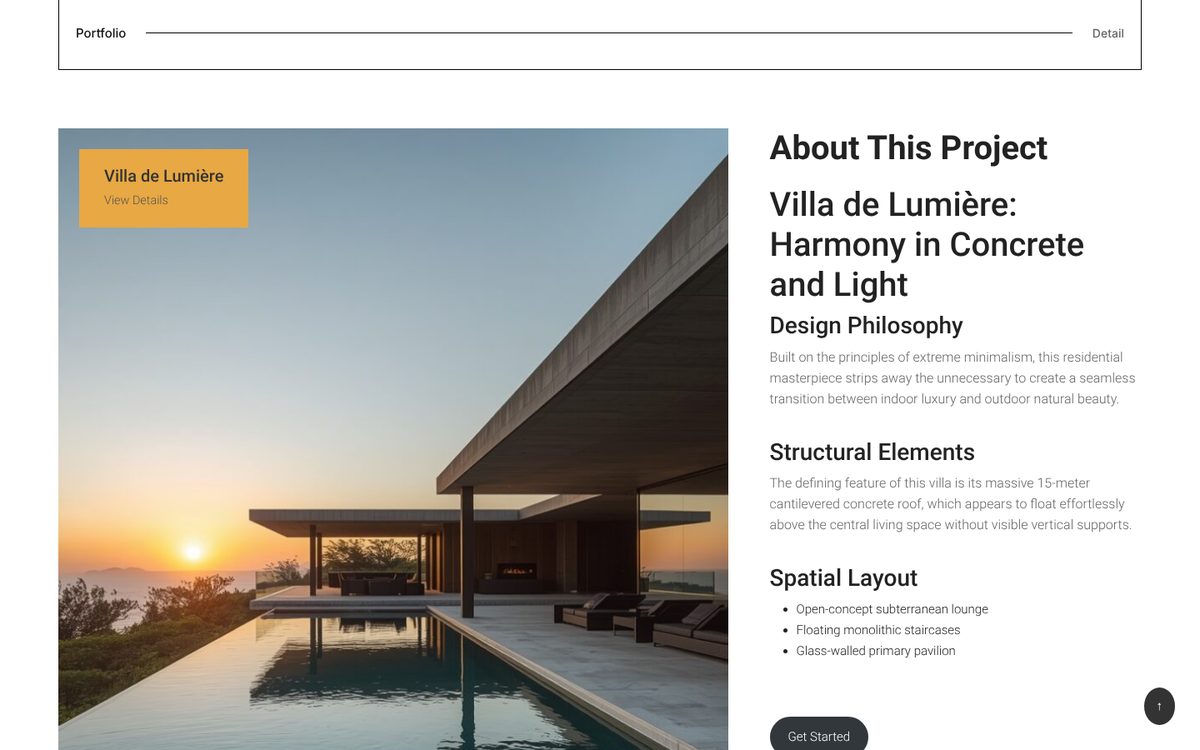
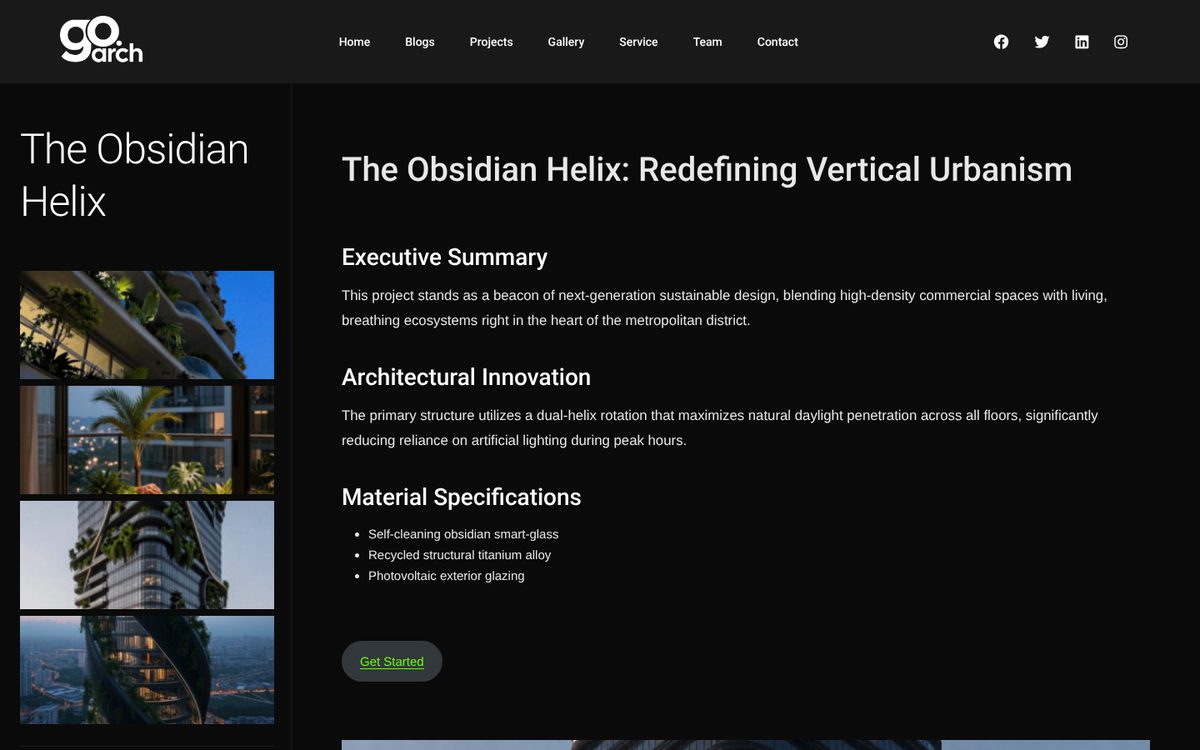
The project page is where clients decide. Treat each one as a short case study with the same structure every time:
- The brief: who the client was and what they needed.
- The site and context: location, size and constraints.
- The design idea: one or two paragraphs on the concept.
- Materials and specifications: a short bullet list is enough.
- The result: final photos, and drawings if you can share them.
Step 5: Prepare your images properly
Photos make or break an architecture website, and they are also the main reason portfolio sites load slowly.
- Export images at 1920 px wide for full-width areas and 1200 px for project galleries.
- Use JPG or WebP at around 80% quality. Huge PNG files slow the page down without looking better.
- Give every image a descriptive file name and alt text, for example villa-concrete-cantilever-roof.jpg.
- Use the same aspect ratio for all thumbnails in a grid so the layout stays tidy.
Step 6: Add your team, services and contact page
People hire people. Add a photo and one line about each team member. On the services page, describe what you do in plain words and link each service to related projects. On the contact page, keep the form short: name, email, phone and a message is enough.


Step 7: Set up SEO before you launch
A beautiful portfolio still needs to be found. Install an SEO plugin such as Rank Math or Yoast and:
- Write a unique title and meta description for the homepage and each project.
- Use your city and specialty in key pages, for example “residential architect in Miami”.
- Submit your XML sitemap to Google Search Console.
- Start a small blog or news section and publish when you finish a project.
Step 8: Test, then launch
Before you share the link, open the site on a phone, a tablet and a desktop. Click every menu item, send a test message through the contact form and check how long the homepage takes to load. Fix anything that feels slow or confusing, then launch.
A good portfolio site answers three questions fast: what do you design, how good is it, and how do I reach you.
GoArch design notes
Frequently asked questions
How many projects should an architecture portfolio show?
Quality beats quantity. Start with six to twelve of your strongest projects and add new ones as you complete them.
How long does it take to build the site?
With a demo import, most studios have a first version ready in a few days. Most of the time goes into writing and preparing photos.
Can you build it for me?
Yes. GoArch buyers can have our team build the complete website with their own design and content for $200*, and add full SEO for $100* per month. See the offer. *Terms and conditions apply.
Ready to start? Get GoArch on ThemeForest or browse the live demos first.
Part of the GoArch team at The Black Pearls Pro, building WordPress themes for architects and interior studios.


One Response