How Can We Help?
Import / Export Theme Options
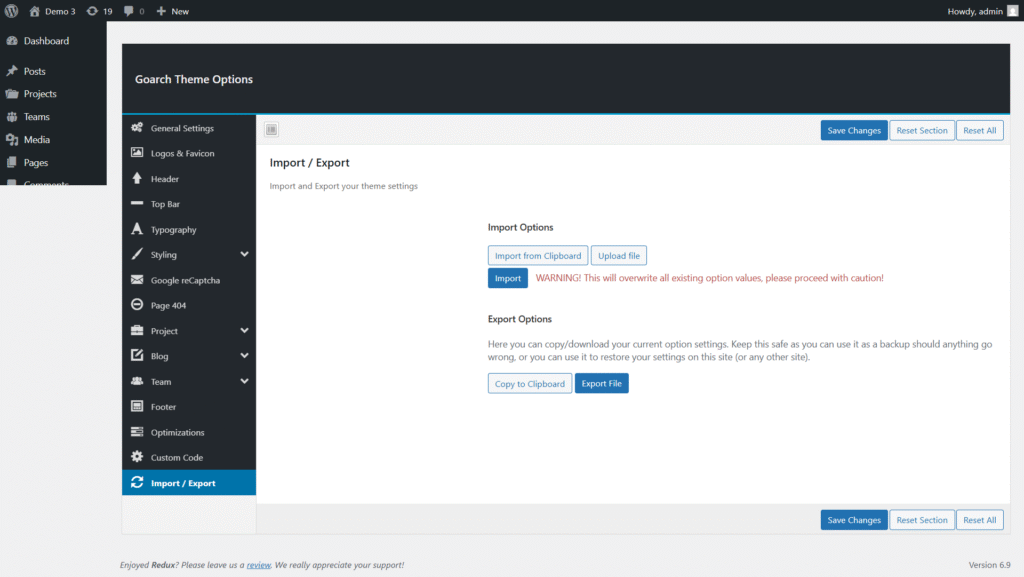
Import / Export Settings
The Import / Export section in the GoArch Theme Options allows you to easily back up, restore, and transfer your theme settings between websites. This feature is especially useful when migrating a site, creating staging environments, or reusing the same configuration across multiple installations.
You can access this section from:
WordPress Dashboard → Appearance → GoArch Theme Options → Import / Export
Overview
The Import / Export panel is divided into two main parts:
- Import Options
- Export Options
These tools work with the theme’s configuration data only and do not affect posts, pages, or media files.
Import Options
Purpose:
Import previously saved GoArch theme settings into your current website.
⚠️ Warning: Importing settings will overwrite all existing GoArch theme options. Proceed with caution.
Import Methods
1. Import from Clipboard
This option allows you to paste theme settings that were previously copied to your clipboard.
Steps:
- Click Import from Clipboard
- Paste the copied configuration data
- Click the Import button
- Save changes when prompted
Best Use Case:
- Quickly transferring settings between two sites
- Restoring settings shared by a developer or team member
2. Upload File
This option lets you import theme settings from a previously exported file.
Steps:
- Click Upload file
- Select the exported GoArch settings file from your computer
- Click Import
- Confirm the overwrite warning
Best Use Case:
- Restoring a full theme backup
- Migrating theme settings to a new domain or server
Export Options
Purpose:
Export your current GoArch theme configuration for backup or reuse.
Export Methods
1. Copy to Clipboard
Copies all theme settings into a text format that can be pasted elsewhere.
Best Use Case:
- Quick manual backups
- Sharing configurations with another developer
- Temporary storage during development
2. Export File
Downloads a file containing all current GoArch theme options.
Best Use Case:
- Long-term backups
- Site migrations
- Safe storage before major changes