How Can We Help?
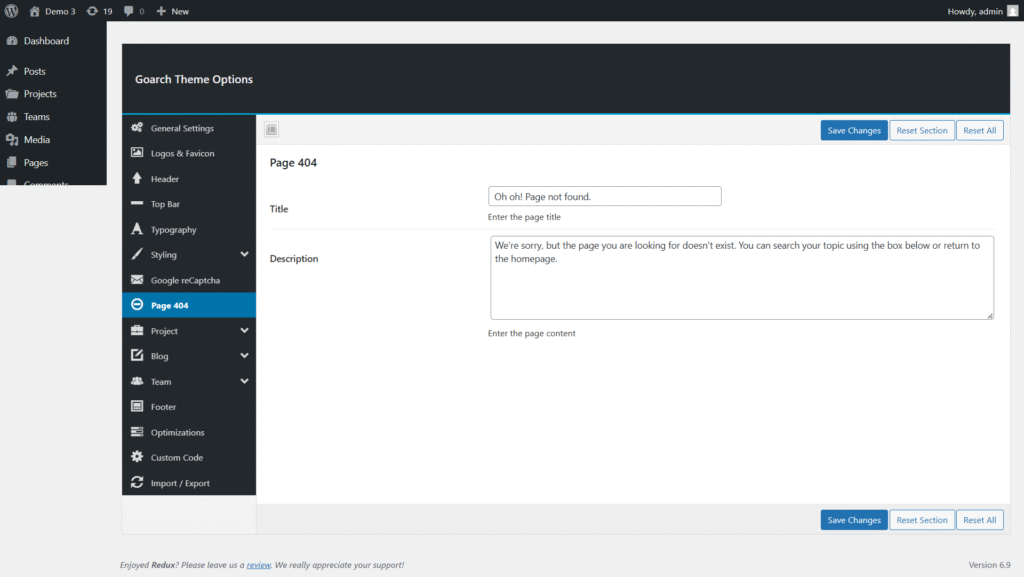
Page 404
Page 404 Settings (GoArch Theme)
The Page 404 section in GoArch Theme Options allows you to customize the content displayed when a visitor lands on a non-existent or broken page URL. A well-designed 404 page improves user experience by guiding visitors back to relevant content instead of losing them.
You can find this option in:
WordPress Dashboard → GoArch Theme Options → Page 404
Page 404 Overview
When a page cannot be found, GoArch displays a custom 404 page instead of a default browser error. From this panel, you can control the main text content shown to users.
This section includes the following settings:
1. Title
Field: Title
Example: Oh oh! Page not found.
- This is the main heading displayed on the 404 page.
- Use a clear and friendly message to inform users that the requested page does not exist.
- The title is typically styled as a large heading to immediately grab attention.
Best Practice:
Keep the title short, polite, and easy to understand.
2. Description
Field: Description
Example:
We’re sorry, but the page you are looking for doesn’t exist. You can search your topic using the box below or return to the homepage.
- This text appears below the title.
- Use it to explain what happened and guide users toward helpful actions.
- You can encourage visitors to:
- Use the search feature
- Return to the homepage
- Explore other sections of the website
Best Practice:
Write reassuring and helpful content that reduces frustration and keeps users engaged.