
How Can We Help?
Theme license Q&A
How to Find Your Purchase Code & Extend Theme Support
When registering your theme license, verifying your purchase on our support desk, or accessing automatic updates, you will need your official Envato Item Purchase Code. Additionally, extending or renewing your theme support ensures you maintain continuous access to technical assistance and theme updates.
Part 1: How to Locate Your Envato Purchase Code
Follow these steps to download your license certificate and purchase code directly from your ThemeForest / Envato Market account:
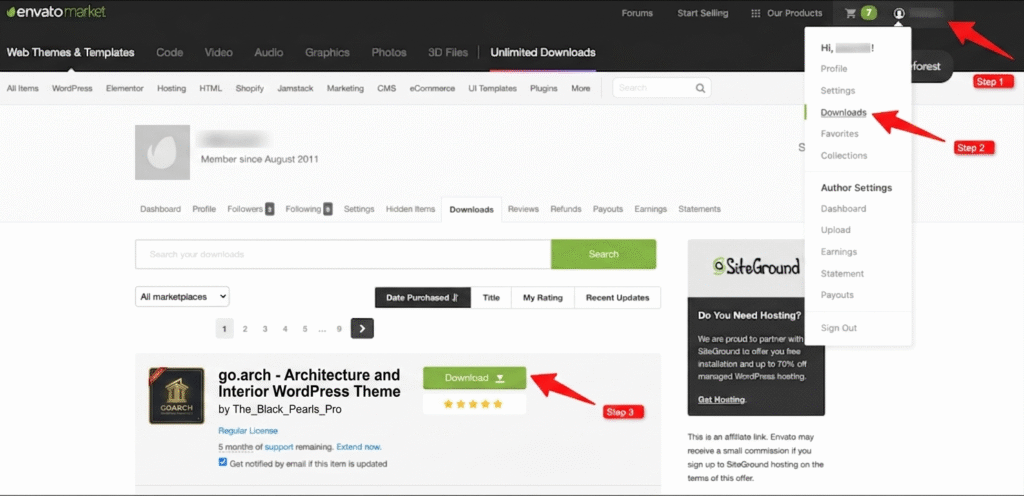
Step 1: Access Your Downloads Page
- Log into your Envato Market / ThemeForest account.
- Hover over your profile icon or username in the top-right corner of the screen.
- Select Downloads from the drop-down menu.
- Locate go.arch – Architecture and Interior WordPress Theme in your downloads list.
- Click the green Download button next to the theme item.
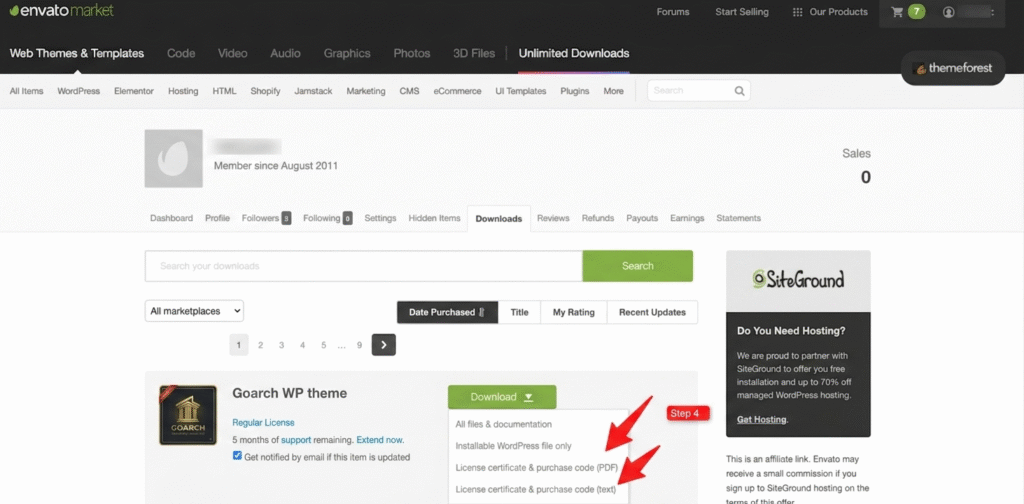
Step 2: Download the License Certificate
- Clicking the Download button will open a dropdown sub-menu.
- Select either License certificate & purchase code (PDF) or License certificate & purchase code (text).
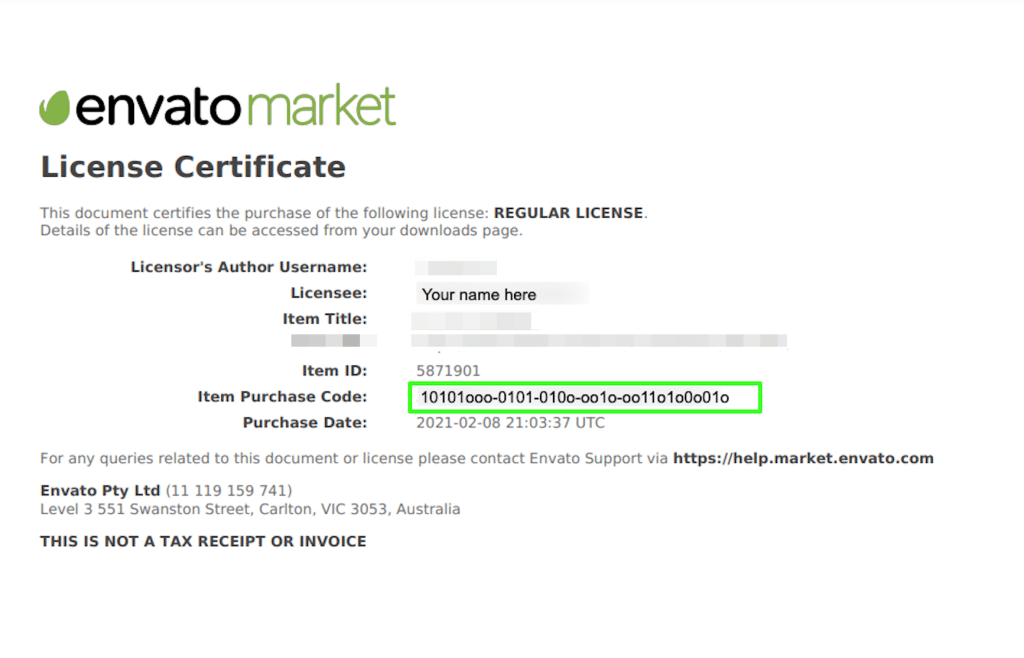
Step 3: Copy Your Item Purchase Code
- Open the downloaded PDF or text file on your computer.
- Locate the line labeled Item Purchase Code.
- Highlight and copy the unique code (a string of numbers and letters formatted like
10101ooo-0101-010o-oo1o-oo11o1o0001o).
Part 2: How to Extend or Renew Theme Support
Every regular theme license on ThemeForest includes 6 months of hands-on author support. You can renew or extend this support at any time to keep receiving technical assistance.
Step-by-Step Instructions:
- Log in to your ThemeForest account and navigate to your Downloads page.
- Find the Goarch theme entry in your list of purchases.
- Check your current support status:
- If your support has already expired: Click the Renew support now! link displayed next to your license type.
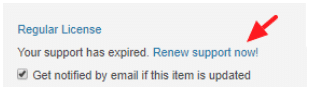
- If you still have active support remaining: Click the Extend now. link to purchase an additional 6 months at a discounted rate before your current period expires.
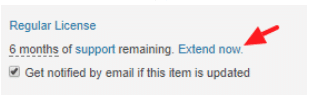
- Complete the checkout process on ThemeForest.
- Update Support Status on Forum: Log into your account on the theme author’s support forum and click Update to automatically sync your extended support expiration date.
Frequently Asked Questions
| Question | Details |
| How is the support renewal cost calculated? | Support pricing is determined by Envato as a percentage of the base item price. Extending support before your current period expires is significantly cheaper than renewing expired support. |
| Do theme updates stop when support expires? | No. Purchasing a theme license gives you lifetime access to downloadable theme updates. Renewing support only affects access to direct technical assistance and item support tickets. |
| Can I use one purchase code for multiple sites? | No. Envato’s Regular License policy dictates that one purchase code validly applies to one domain/website installation. Separate licenses are required for additional client installations. |